ClickUp vs Monday 2026: Which is Better?

Table of Contents
- → Quick Comparison Overview
- → ClickUp Overview: Project Management Powerhouse
- → Notion Overview: Documentation Champion
- → Head-to-Head: Project Management
- → Head-to-Head: Documentation
- → Database Capabilities Compared
- → Automation & Workflows
- → Pricing Comparison
- → Ease of Use & Learning Curve
- → Mobile Experience
- → Integrations & Ecosystem
- → When to Choose Each Platform
- → Migration Between Platforms
- → Frequently Asked Questions
Quick Verdict: Which Should You Choose?
Choose ClickUp if: Budget matters, you need extreme customization, want free automation, or require 1,000+ integrations. ClickUp costs 42% less while delivering more features.
Choose Monday.com if: Visual aesthetics are critical, rapid team adoption (1-2 weeks) is required, mobile-first workflow matters, or you need phone support.
Overall winner for value: ClickUp saves a 15-person team $900/year while offering superior customization. Monday wins on visual polish and ease of use but costs significantly more.
ClickUp and Monday.com dominate the visual project management space, but they’re surprisingly different tools serving different priorities. Both offer colorful boards, timeline views, and team collaboration features—but ClickUp positions itself as a customization powerhouse with extreme flexibility, while Monday.com emphasizes beautiful simplicity and rapid team adoption.
This comparison will help marketing teams, creative agencies, and operations managers decide which visual PM tool delivers better value for their specific workflow needs. You’ll discover detailed feature comparisons, real pricing analysis, and clear guidance on which tool fits which team type.
Quick Comparison: ClickUp vs Monday.com
| Feature | ClickUp | Monday.com |
|---|---|---|
| Best For | Teams wanting maximum customization | Teams wanting visual simplicity + power |
| Starting Price | $7/user/month ???? Winner | $9/user/month |
| Free Plan | Unlimited users, 100MB storage ???? Winner | Up to 2 users only |
| Learning Curve | Moderate (2-3 weeks) | Easy-Moderate (1-2 weeks) ???? Winner |
| Visual Boards | ⭐⭐⭐⭐ Functional | ⭐⭐⭐⭐⭐ Beautiful ???? Winner |
| Customization | ⭐⭐⭐⭐⭐ Extreme ???? Winner | ⭐⭐⭐⭐ Good |
| Automation | ⭐⭐⭐⭐⭐ 100+ free ???? Winner | ⭐⭐⭐⭐ 250 actions/month (paid) |
| Integrations | ⭐⭐⭐⭐⭐ 1,000+ ???? Winner | ⭐⭐⭐⭐ 200+ |
| Time Tracking | ✅ Built-in (free) ???? Winner | ✅ Built-in (paid plans) |
| Mobile App | ⭐⭐⭐½ Good | ⭐⭐⭐⭐½ Excellent ???? Winner |
| Value Rating | ⭐⭐⭐⭐⭐ 5/5 ???? Winner | ⭐⭐⭐⭐ 4/5 |
| Overall Rating | 4.5/5 | 4.2/5 |
ClickUp Overview: The Customization King
ClickUp positions itself as the “everything app for work,” offering unmatched customization depth that lets teams configure the platform to match their exact workflow needs rather than adapting processes to fit software limitations.
Core Strengths
Unmatched Customization
- 15+ view types (List, Board, Calendar, Gantt, Timeline, Table, Map, Workload, Mind Map)
- Unlimited custom fields (dropdown, text, number, date, people, checkbox, rating, labels, formula)
- Customizable statuses and task types
- Modular ClickApps you enable/disable per workspace
Powerful Automation
- 100+ free automations on every plan including free tier
- Complex IF-THEN workflows with multiple conditions
- Marketing teams save 5-10 hours weekly on repetitive routing
- Business plan offers 25,000 automation actions/month
Exceptional Value
- $7/user/month vs Monday’s $12/user for similar features (42% cheaper)
- Free plan allows unlimited users vs Monday’s 2-user limit
- 15-person team saves $900/year vs Monday.com
Everything Built-In
- Time tracking included free (Monday requires Pro plan at $19/user)
- Goal setting and OKR tracking
- Docs, wikis, and mind maps
- Forms and whiteboards without add-ons
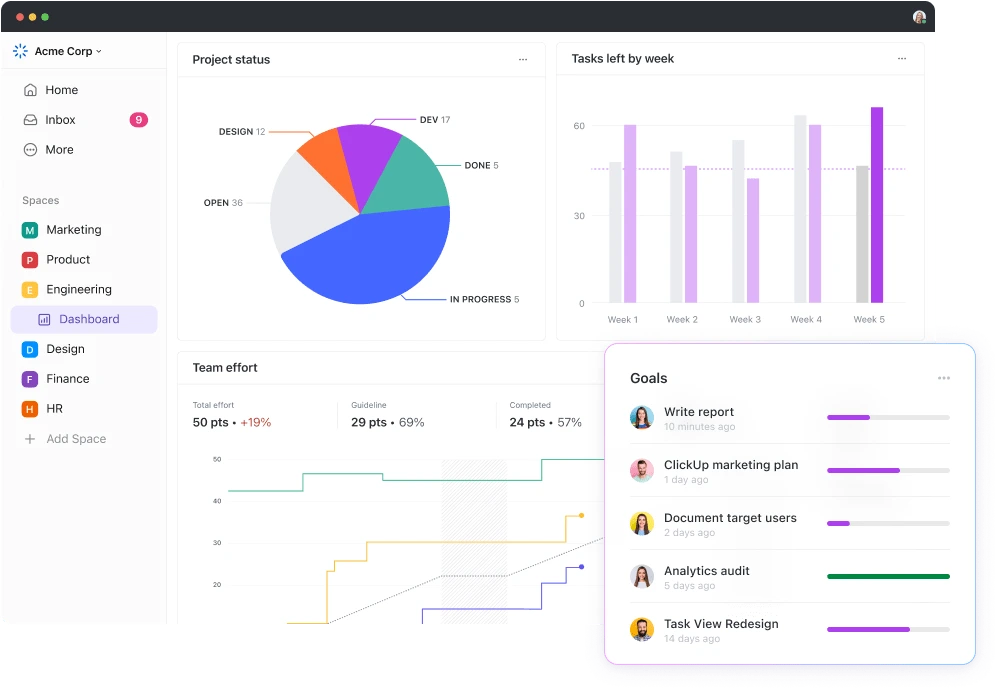
ClickUp Rating: 4.5/5 ⭐⭐⭐⭐½
Strengths
- Best price-to-feature ratio ($7/user vs $9-19 competitors)
- Extreme customization (15+ views, unlimited custom fields)
- Powerful automation (100+ free on all plans)
- Generous free plan (unlimited users)
- Time tracking built-in at all tiers
- 1,000+ integrations vs competitors’ 200+
Weaknesses
- Overwhelming learning curve (2-3 weeks) – See our learning guide
- Visual boards less beautiful than Monday’s
- Interface can feel cluttered with too many options
- Performance issues with very large workspaces (1000+ tasks)
- Mobile app rated lower than Monday’s (3.8/5 vs 4.7/5)
Monday.com Overview: The Visual Excellence Champion
Monday.com feels like a consumer app rather than enterprise software, with polished design that non-technical team members embrace quickly. The guided setup and pre-built templates get teams productive immediately without overwhelming configuration choices.
Core Strengths
Gorgeous Visual Design
- Most beautiful project management interface in the industry
- Color-coded status columns (green = done, red = stuck, yellow = working)
- Visual progress bars show completion percentage instantly
- Cleaner layouts with less visual clutter than ClickUp
Faster Adoption
- Teams productive within 1-2 weeks vs ClickUp’s 2-3
- Guided setup wizard walks through board creation
- Pre-built templates for immediate start
- 85-90% team adoption within 2 weeks
Strong Automation (Paid Plans)
- 250+ automation recipes on Standard plan and above
- Visual drag-and-drop builder (easier than ClickUp’s text-based)
- 25,000 automation actions/month on Pro plan
- More intuitive setup for non-technical users
Excellent Mobile Experience
- 4.7/5 App Store rating (vs ClickUp’s 3.8/5)
- Full desktop functionality on mobile
- Smooth performance and excellent offline mode
- Beautiful design translates perfectly to smaller screens
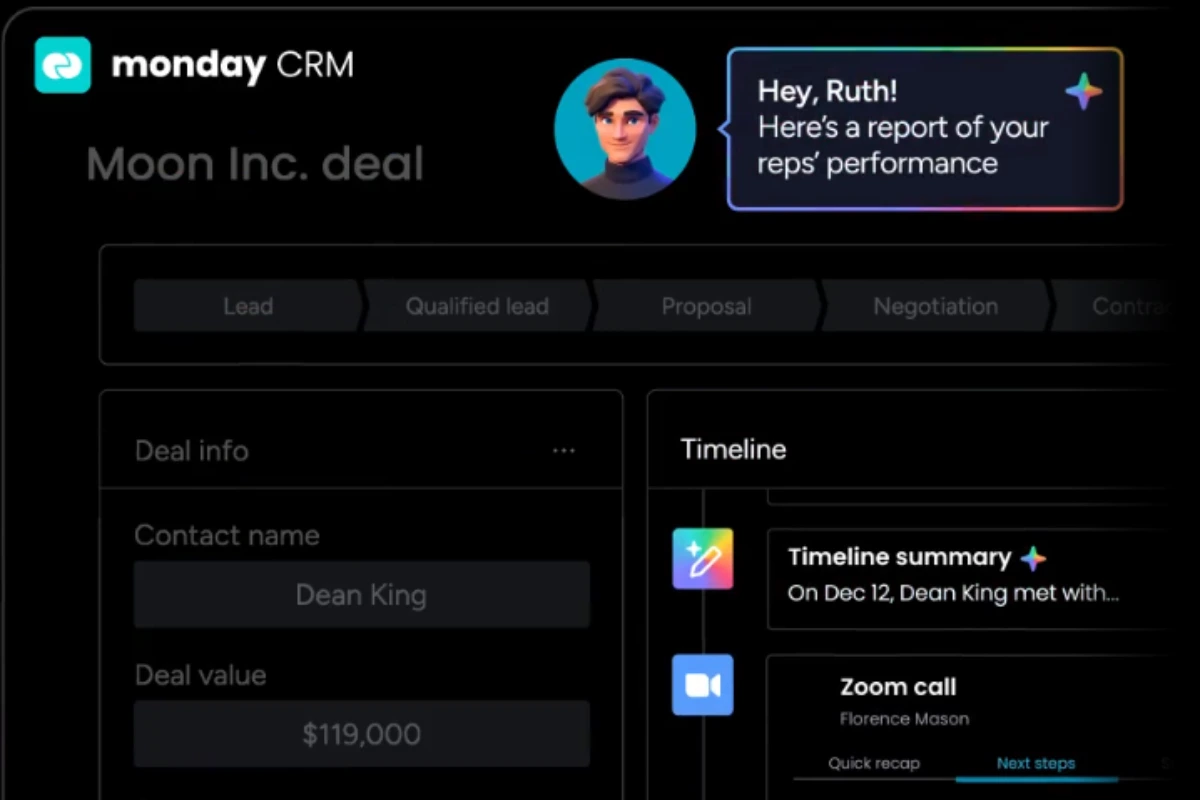
Monday.com Rating: 4.2/5 ⭐⭐⭐⭐
Strengths
- Most beautiful visual interface in the industry
- Faster team adoption (1-2 weeks vs ClickUp’s 2-3)
- Excellent mobile app (4.7/5 rating)
- Strong customer support (chat + phone on higher tiers)
- Pre-built industry templates (marketing, creative, operations)
- Visual automation builder easier for non-technical users
Weaknesses
- Significantly more expensive (30-60% higher than ClickUp)
- Limited free plan (2 users only vs ClickUp’s unlimited)
- Automation requires paid plans (vs ClickUp’s free automations)
- Fewer integrations (200+ vs ClickUp’s 1,000+)
- Less customization depth than ClickUp
- Time tracking requires Pro plan ($19/user vs ClickUp’s free)
Pricing Comparison: ClickUp Wins on Value
ClickUp Pricing Structure
- Free Forever: Unlimited users, 100MB storage, basic features, 100 automations/month
- Unlimited ($7/user/month): Unlimited storage, Gantt charts, unlimited integrations, 1,000 automations
- Business ($12/user/month): Advanced automation (25,000 actions), workload management, Google SSO
Monday.com Pricing Structure
- Individual (Free): Up to 2 users, 3 boards, limited features
- Basic ($9/user/month): Unlimited boards, 5GB storage, iOS/Android apps, 200+ templates
- Standard ($12/user/month): Timeline/Gantt, calendar view, automations (250 actions/month), integrations
- Pro ($19/user/month): Time tracking, formula columns, dependency columns, 25,000 automations
Real Cost Comparison
| Team Size | ClickUp Unlimited | Monday Standard | Annual Savings |
|---|---|---|---|
| 5 users | $420/year | $720/year | $300 (42% cheaper) ???? |
| 10 users | $840/year | $1,440/year | $600 (42% cheaper) ???? |
| 15 users | $1,260/year | $2,160/year | $900 (42% cheaper) ???? |
| 20 users | $1,680/year | $2,880/year | $1,200 (42% cheaper) ???? |
Value breakdown: Monday charges $12/user for features ClickUp includes at $7/user (Gantt charts, unlimited integrations, automations). Monday’s Pro plan ($19/user) is required for time tracking, which ClickUp includes free on all plans including its unlimited-user free tier.
For detailed pricing analysis with tier-by-tier breakdowns, see our complete ClickUp pricing guide.
Pricing Winner: ClickUp (5/5 vs Monday’s 3.5/5 for value)
ClickUp delivers exceptional value with 42% lower pricing while offering equivalent or superior features. The $900/year savings for a 15-person team can fund additional tools like Slack, Figma, or Adobe subscriptions. Unless visual polish justifies the premium, ClickUp offers dramatically better ROI.
Visual Boards & Interface: Monday.com Wins
Monday.com Visual Advantages
- Intuitive color coding: Status columns use colors that instantly communicate progress without reading text
- Beautiful design: Polished, modern interface that teams enjoy using daily
- Visual progress bars: See project completion percentage at a glance
- Clear status labels: Visual indicators eliminate ambiguity
- Cleaner layouts: Less visual clutter than ClickUp’s information-dense approach
ClickUp’s Functional Approach
- Functional boards with color coding available but less polished visually
- More information density—display more data per card
- Customizable card appearance (choose which fields show)
- Multiple board types (Kanban, Cards, Activity views)
- Better for power users needing data-rich displays
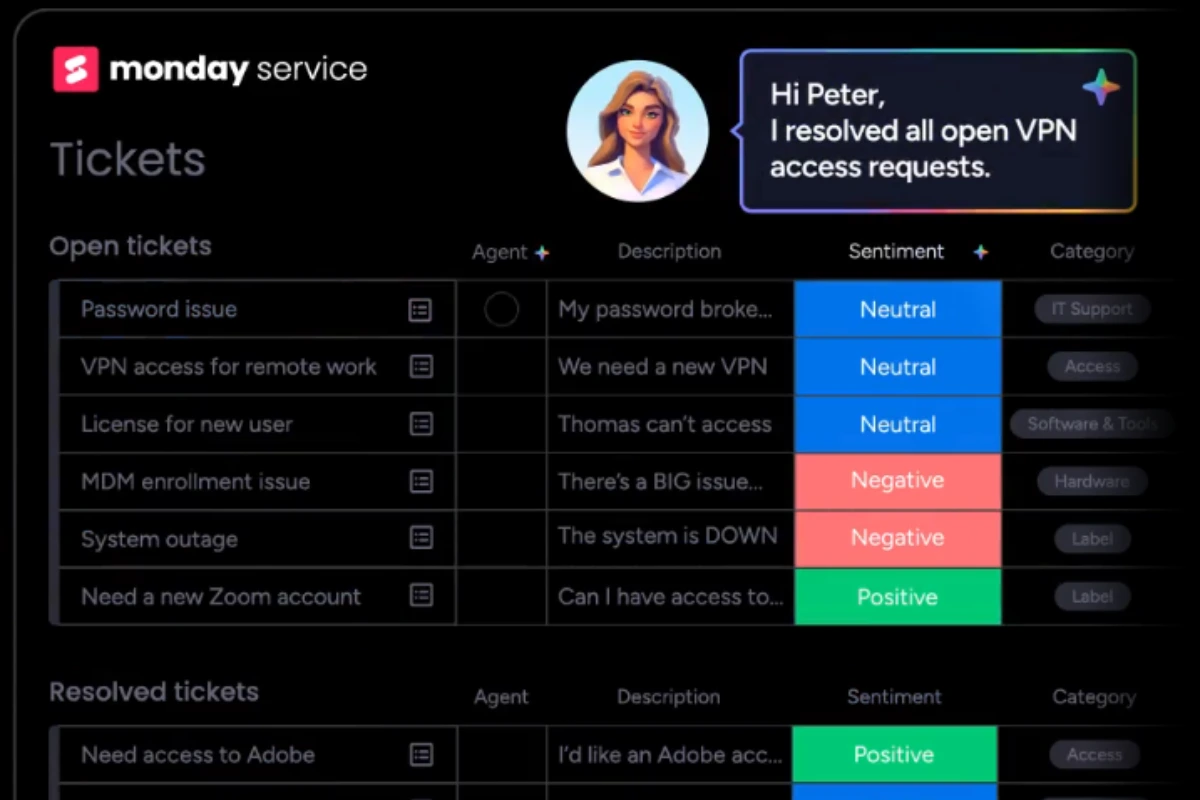
Real-world impact: Monday’s boards look better in client presentations and stakeholder meetings where visual polish matters. ClickUp’s boards display more information but feel busier—better for internal team use than external-facing work.
Visual Design Winner: Monday.com (5/5 vs ClickUp’s 4/5)
If your team presents boards to clients, displays project status on office screens, or values aesthetics highly, Monday.com’s visual excellence justifies consideration despite higher pricing. For internal-only workflows, ClickUp’s functional boards work perfectly well at 42% lower cost.
Customization & Flexibility: ClickUp Dominates
ClickUp Customization Depth
View Types (15+)
- List, Board, Calendar, Gantt, Timeline
- Table, Map, Workload, Mind Map
- Activity, Whiteboard, Chat, Docs
- Embed, Form views
Custom Fields (Unlimited)
- Dropdown, text, number, date, people
- Checkbox, rating, labels, email
- Formula, relationship, progress
- File attachments, location
- Custom task types: Tasks, milestones, bugs, ideas, or create your own
- Customizable hierarchies: Spaces → Folders → Lists → Tasks → Subtasks → Checklists
- ClickApps: Modular features you enable/disable (goals, time tracking, sprints, portfolios)
- Custom statuses: Create unlimited statuses beyond “To Do / In Progress / Done”
Monday.com Customization Options
- 8 core views: Main table, Kanban, Calendar, Timeline, Gantt, Chart, Map, Form
- 20+ column types: Similar functionality to ClickUp’s custom fields
- Customizable automation recipes: Pre-built templates you can modify
- Board templates: Pre-configured workflows for common use cases
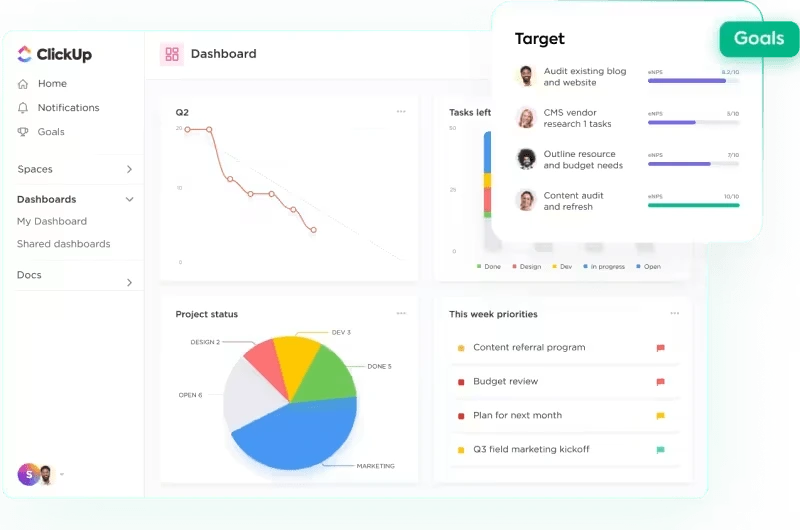
Customization Winner: ClickUp (5/5 vs Monday’s 4/5)
ClickUp’s extreme flexibility allows teams to build exactly the workflow they need rather than adapting to software constraints. Monday provides enough customization for most marketing and creative teams without overwhelming non-technical users. Choose based on whether your workflows are highly unique (ClickUp) or relatively standard (Monday works fine).
Automation: ClickUp Offers More (and Free)
ClickUp Automation
- Free plan: 100 automation actions per month
- Unlimited plan ($7/user): 1,000 actions/month
- Business plan ($12/user): 25,000 actions/month
- Templates: 100+ pre-built automation templates
- Logic: Custom IF-THEN-ELSE logic with multiple conditions
Monday.com Automation
- Free/Basic plans: No automation available
- Standard plan ($12/user): 250 actions/month
- Pro plan ($19/user): 25,000 actions/month
- Recipes: 250+ pre-built recipes (more than ClickUp)
- Builder: Visual drag-and-drop builder (easier than ClickUp’s text-based)
Example Workflow: Marketing Campaign Automation
ClickUp example: “When status changes to ‘Ready for Review’ AND custom field ‘Campaign Type’ = ‘Social Media’, assign to @MarketingDirector AND send Slack notification AND create subtask ‘Schedule posts'”
Monday example: Similar logic available but requires Standard plan minimum ($12/user). Visual recipe builder makes setup easier for non-technical users who prefer drag-and-drop over text configuration.
Automation Winner: ClickUp (5/5 vs Monday’s 4/5)
ClickUp wins on value (free automation on all plans) and volume (more actions at lower price tiers). Monday wins on ease of setup with its visual builder. For budget-conscious teams needing high automation volume, ClickUp delivers superior ROI. For teams with non-technical members who prefer visual configuration, Monday’s builder may justify the extra cost.
Ease of Use & Learning Curve: Monday Wins
Monday.com Learning Timeline
- Week 1: Productive immediately (create boards, add items, assign teammates)
- Week 2: Understanding automations and integrations
- By Week 3: Fully proficient with all features
- Total learning time: 8-12 hours
- Team adoption rate: 85-90% within 2 weeks
ClickUp Learning Timeline
- Week 1: Overwhelming (too many options, unclear where to start)
- Week 2-3: Building confidence (configuring views, statuses, custom fields)
- Week 4+: Proficient and leveraging power features
- Total learning time: 15-20 hours
- Team adoption rate: 70-80% by week 3 (some members resist complexity)
For strategies to accelerate ClickUp adoption and reduce the learning curve, see our complete ClickUp learning guide.
Onboarding Experience Comparison
Monday.com Onboarding
- Guided setup wizard walks through board creation
- Pre-built templates get you started instantly
- Clear visual cues and helpful tooltips
- Intuitive navigation feels familiar immediately
ClickUp Onboarding
- Freedom to structure however you want = analysis paralysis
- Templates exist but require more configuration
- Overwhelming number of features visible immediately
- Requires ClickUp University videos or external tutorials
Ease of Use Winner: Monday.com (4.5/5 vs ClickUp’s 3.5/5)
If rapid team adoption is critical or your team resists complex tools, Monday.com’s 1-2 week learning curve beats ClickUp’s 2-3 weeks. For teams willing to invest in training for long-term flexibility benefits, ClickUp’s complexity becomes an asset once mastered.
Integrations: ClickUp Has 5x More
ClickUp Integration Ecosystem
- 1,000+ native integrations
- Major tools: Slack, Microsoft Teams, Google Workspace, Salesforce, HubSpot, Zoom, GitHub, Jira, Figma, Adobe Creative Cloud
- Zapier support: Custom connections for any app
- API access: Business plan and higher for custom integrations
- Email integration: Send/receive emails directly within tasks
Monday.com Integration Ecosystem
- 200+ native integrations
- Core tools covered: Slack, Microsoft Teams, Google Workspace, Salesforce, Mailchimp, Zoom
- Zapier and Integromat: Support for custom connections
- API access: Pro plan and higher for custom integrations
- Make.com integration: Advanced automation platform support
Real-World Impact
For teams using 10+ tools in their tech stack, ClickUp’s 1,000+ integrations mean fewer manual workarounds and Zapier dependencies. Monday covers mainstream tools excellently but lacks connections to:
- Industry-specific software (legal practice management, healthcare EMR systems, construction tools)
- Regional tools popular outside North America/Europe
- Newer SaaS products launched in the past 1-2 years
- Niche developer tools and specialized platforms
Integrations Winner: ClickUp (5/5 vs Monday’s 4/5)
If your tech stack is relatively standard (Slack, Google Workspace, Salesforce, Zoom, etc.), Monday’s 200+ integrations suffice. For teams with complex or niche tool requirements, ClickUp’s 5x larger integration library provides critical native connections that save development time and reduce reliance on middleware like Zapier.
Time Tracking: ClickUp Includes Free, Monday Requires Pro
ClickUp Time Tracking (All Plans)
- ✅ Built-in on ALL plans (including free)
- Start/stop timers within tasks
- Manual time entry for retroactive logging
- Time estimates vs actual tracking
- Timesheets and reporting by user, project, or client
- Billable hours tracking for client work
Monday.com Time Tracking (Pro Plan Required)
- ❌ Not available on Free or Basic plans
- ❌ Requires Standard plan minimum ($12/user) for basic tracking
- ✅ Pro plan ($19/user) includes advanced time tracking
- Start/stop timers and manual entry
- Time tracking column type
- Reporting available on Pro tier
Cost Impact for Time Tracking
| Team Size | ClickUp (Unlimited Plan) | Monday (Pro Plan Required) | Annual Savings |
|---|---|---|---|
| 10 users | $70/month ($840/year) | $190/month ($2,280/year) | $1,440/year ???? |
| 15 users | $105/month ($1,260/year) | $285/month ($3,420/year) | $2,160/year ???? |
| 20 users | $140/month ($1,680/year) | $380/month ($4,560/year) | $2,880/year ???? |
Time Tracking Winner: ClickUp (5/5 vs Monday’s 3/5 due to pricing gate)
For agencies, consultants, or any team billing by the hour, ClickUp’s free built-in time tracking delivers massive value. Monday’s decision to gate this essential feature behind the $19/user Pro plan significantly reduces its value proposition for service-based businesses.
Mobile Experience: Monday Edges Ahead
Monday.com Mobile App
- App Store rating: ⭐⭐⭐⭐½ 4.7/5
- Full desktop functionality available on mobile
- Smooth, fast performance even with large boards
- Excellent offline mode for working without connectivity
- Beautiful visual design translates perfectly to mobile screens
- Push notifications work reliably
- Optimized for one-handed use
ClickUp Mobile App
- App Store rating: ⭐⭐⭐½ 3.8/5
- Most features available but some limitations
- Can feel cluttered on smaller screens due to information density
- Occasional performance lag with large task lists (500+ tasks)
- Some advanced features (complex dashboards, certain views) difficult on mobile
- Functional but not as polished as Monday’s experience
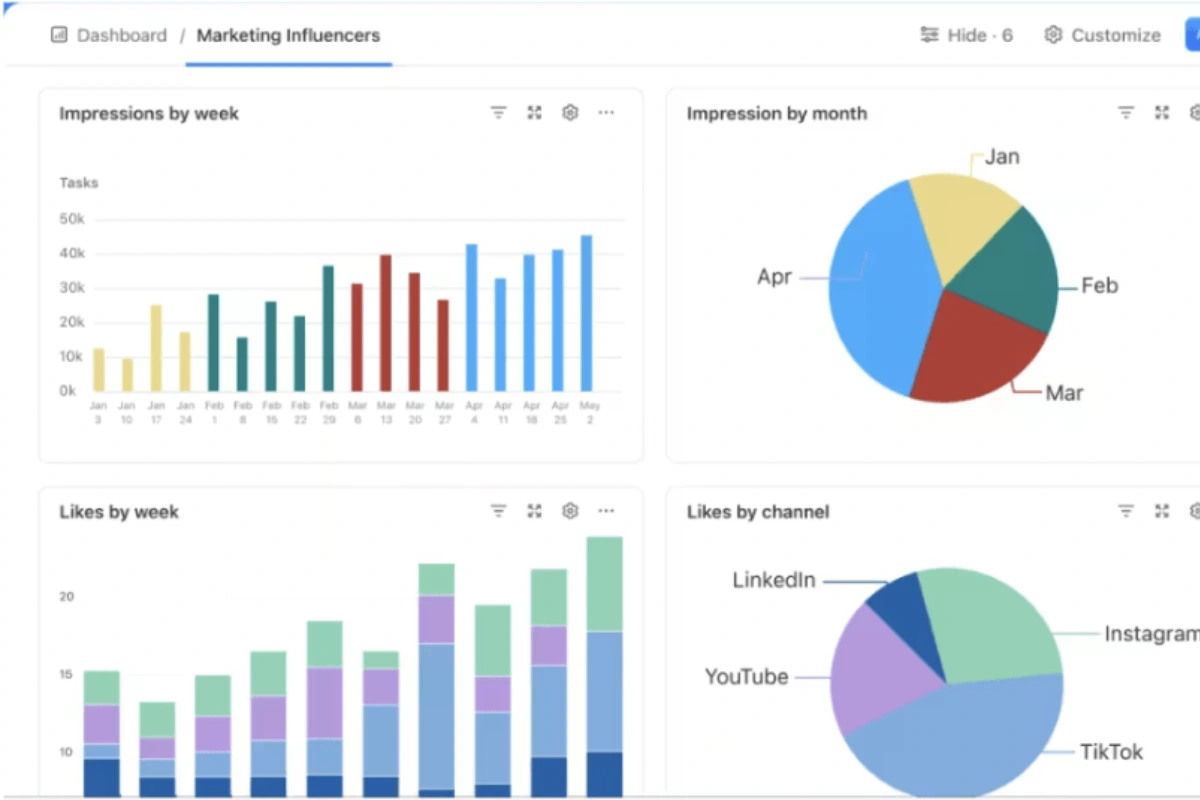
Mobile Winner: Monday.com (4.5/5 vs ClickUp’s 3.5/5)
Both apps are functional for on-the-go work, but Monday’s mobile experience feels more polished and native. For teams working primarily from phones/tablets or needing excellent offline capabilities, Monday has a clear edge. ClickUp works adequately for occasional mobile use but isn’t ideal for mobile-first workflows.
Customer Support: Monday Offers More
Monday.com Support
- All plans: 24/7 chat and email support
- Pro plan and higher: Phone support available
- Enterprise: Dedicated customer success manager
- Average response time: 2-4 hours (chat), under 24 hours (email)
- Comprehensive knowledge base and video tutorials
- Community forum with active user base
ClickUp Support
- All plans: 24/7 chat and email support
- No phone support: Even on Enterprise (significant limitation)
- Enterprise: Dedicated success manager
- Average response time: 4-8 hours (varies by tier)
- ClickUp University with extensive free video courses
- Active community forum and user groups
Support Winner: Monday.com (4.5/5 vs ClickUp’s 4/5)
Monday’s phone support availability is a major advantage for enterprises or teams that need immediate human assistance for critical issues. ClickUp’s lack of phone support frustrates some customers, though their comprehensive ClickUp University and active community partially compensate. For teams comfortable with chat/email support, both platforms provide adequate assistance.
When to Choose ClickUp vs Monday.com
Choose ClickUp If:
✅ Budget is a Primary Concern
- ClickUp costs 42% less than Monday for equivalent features
- Better free plan (unlimited users vs 2)
- Time tracking included free (saves $1,440/year vs Monday for 10-person team)
- 15-person team saves $900/year vs Monday.com
✅ Customization Matters More Than Simplicity
- Need 15+ view types for different team preferences
- Require unlimited custom fields for complex data tracking
- Want extreme workflow flexibility
- Have power users who will configure the system
✅ Automation is Critical to Your Workflow
- Need automation on free or low-tier plans
- Require high automation volume (1,000+ actions/month at $7/user)
- Want complex multi-condition automation logic
- Marketing teams saving 5-10 hours weekly on repetitive tasks
✅ Deep Integrations Required
- Use niche or industry-specific tools (ClickUp has 5x more integrations)
- Need extensive API access for custom workflows
- Want native connections vs Zapier workarounds
- Tech stack includes 10+ tools needing coordination
✅ Team Has Patience for Learning Curves
- 2-3 week onboarding investment is acceptable
- Power users exist to configure the system
- Team values long-term flexibility over immediate productivity
- See our ClickUp learning strategies
Best for: Budget-conscious teams, marketing agencies, development teams, operations teams needing deep customization, service businesses requiring time tracking
Choose Monday.com If:
✅ Visual Design and Aesthetics Matter
- Client-facing boards need to look polished and professional
- Team morale benefits from beautiful interfaces
- Non-technical stakeholders will view projects regularly
- Project status displayed on office screens or in presentations
✅ Quick Adoption is Critical
- Need team productive within 1 week (vs ClickUp’s 2-3 weeks)
- Team is resistant to complex tools
- Limited time for training and onboarding
- 85-90% adoption rate within 2 weeks matters
✅ Mobile-First Workflow
- Team works primarily from phones/tablets
- Need excellent offline mobile capabilities
- Mobile app quality significantly impacts productivity
- 4.7/5 App Store rating vs ClickUp’s 3.8/5
✅ Phone Support is Required
- Enterprise requirements mandate phone support option
- Team prefers speaking to humans over chat for complex issues
- Immediate issue resolution is business-critical
- ClickUp offers no phone support even at Enterprise tier
✅ Visual Communication is Priority
- Marketing/creative teams presenting to clients regularly
- Status boards displayed in common areas or client meetings
- Stakeholder dashboards need visual polish over data density
- Beautiful design justifies 30-60% price premium
Best for: Creative agencies, marketing teams, event planning, client-facing teams, organizations prioritizing aesthetics and rapid adoption, mobile-first workforces
Can You Migrate Between ClickUp and Monday?
From Monday to ClickUp
What transfers easily:
- Items/tasks → Export CSV, import to ClickUp
- Basic boards → Recreate structure in ClickUp Lists/Folders
- Time tracking data → Export and import
- User assignments and due dates
What’s difficult:
- Automations → Must rebuild in ClickUp’s system (not directly transferable)
- Custom formulas → May require reconfiguration in ClickUp’s formula syntax
- Board visual customizations → Lost (need to rebuild aesthetic preferences)
- Monday-specific column types → Map to ClickUp equivalents
Migration time: 1-3 weeks depending on data volume and automation complexity
From ClickUp to Monday
What transfers easily:
- Tasks → Export CSV, import to Monday boards
- Basic structure → Map Spaces/Folders to Monday boards/groups
- User assignments and basic metadata
What’s difficult:
- 15+ view types → Monday only has 8 views (some ClickUp views won’t translate)
- Complex automations → Rebuild manually or lose functionality
- Custom fields → Map to Monday column types (some may lack direct equivalents)
- ClickUp Docs → Copy/paste to Monday updates or migrate to external doc tool
- Advanced customizations → Simplified in Monday’s less flexible system
Migration time: 2-4 weeks (ClickUp’s complexity makes export harder and some features have no Monday equivalent)
Recommendation: Most teams switching tools lose 10-20% of customized workflows during migration. Consider starting fresh with templates rather than attempting perfect 1:1 migration, which often causes more frustration than value.
ClickUp vs Monday.com vs Alternatives
Alternative project management tools to consider:
- Asana – Middle ground between simplicity and features. Easier to learn than ClickUp but more powerful than Monday’s basic plans. See ClickUp vs Asana comparison
- Notion – Better for teams where documentation and knowledge bases matter more than visual project management. Excellent for wikis but weaker PM features. See ClickUp vs Notion comparison
- Trello – Simplest option if you only need Kanban boards. Cheapest pricing but much less powerful than ClickUp or Monday
For a complete comparison of all major alternatives, see our ClickUp alternatives guide.
Final Verdict: ClickUp or Monday.com?
Overall Ratings
My Honest Recommendation
Budget Under $10/user/month
→ ClickUp (no question)
42% lower cost with equivalent or better features makes this an easy decision for budget-conscious teams.
Visual Design Critical
→ Monday.com
If client-facing boards or aesthetic polish justifies the premium, Monday’s beautiful interface wins.
Complex Customization Needed
→ ClickUp
Teams with unique workflows benefit from 15+ views and unlimited custom fields.
Team Resists Learning Curves
→ Monday.com
1-2 week adoption vs ClickUp’s 2-3 weeks matters when team buy-in is fragile.
50/50 Tie Decision
→ Try both free plans for 2 weeks
Test with real projects before committing. ClickUp offers unlimited free users; Monday limits you to 2. Let your team’s actual usage patterns determine the winner.
Cost-benefit reality: For a 15-person team, ClickUp saves $900/year vs Monday while offering more features. That savings funds other critical tools (Slack, Figma, Adobe Creative Cloud subscriptions). Unless visual polish justifies that premium, ClickUp delivers dramatically better ROI.
Ready to decide?
Both offer free trials of paid plans—test with real projects before committing.
Learn more:
Try ClickUp Free
Best value: 42% cheaper with more features
$7/user/month • Unlimited users on free plan
Start Free Trial →Try Monday.com Free
Best design: Beautiful interface, fast adoption
$9/user/month • 2 users on free plan
Start Free Trial →Frequently Asked Questions
Is ClickUp better than Monday.com?
For most teams prioritizing value and features, yes. ClickUp costs 42% less while offering more customization, integrations, and free automation. However, Monday wins on visual design and ease of adoption. Choose based on whether budget + features or aesthetics + simplicity matter more to your team.
Which is easier to learn, ClickUp or Monday?
Monday.com is significantly easier, with teams productive in 1-2 weeks vs ClickUp’s 2-3 weeks. Monday’s guided onboarding and beautiful interface reduce friction. ClickUp’s complexity requires more training investment but offers greater long-term flexibility. For detailed learning strategies, see our ClickUp learning curve guide.
Is Monday.com worth the extra cost?
Only if: 1) Visual aesthetics justify 40-60% higher pricing for client presentations or stakeholder meetings, 2) Your team needs phone support (ClickUp offers none), 3) Rapid adoption within 1 week is critical, 4) Mobile-first workflow matters significantly. For budget-conscious teams, ClickUp delivers similar features for dramatically less.
Which has better automation, ClickUp or Monday?
ClickUp offers more automation at lower price points—100 free actions on all plans vs Monday requiring $12/user Standard plan minimum. ClickUp’s Unlimited plan provides 1,000 actions/month at $7/user, while Monday’s Standard plan offers only 250 actions at $12/user. Monday’s automation builder is more visual and easier for non-technical users, but ClickUp wins on value and volume.
Can I use both ClickUp and Monday.com together?
Not recommended. Both are comprehensive platforms designed to be your single source of truth. Using both creates data silos, doubles costs ($7 + $12 = $19/user minimum), and confuses team members about which tool to use for which tasks. Choose one platform and commit fully for best results.
Which is better for marketing teams?
Depends on priorities. Choose ClickUp if: Budget matters, you need automation to save 5-10 hours weekly, want customization for complex campaigns. Choose Monday if: Visual boards matter for client presentations, rapid team adoption required, aesthetics important for team morale. Both work well for marketing workflows—the decision comes down to budget vs visual polish.
Does Monday.com have a free plan?
Yes, but it’s limited to 2 users only (vs ClickUp’s unlimited users). Monday’s Individual free plan includes 3 boards and basic features—suitable only for freelancers or very small teams. For teams of 3+ people, you’ll need to upgrade to at least the Basic plan ($9/user/month), while ClickUp allows unlimited free users.
Which tool has better templates?
Monday offers 200+ pre-built templates across industries (marketing, creative, operations, sales, HR) with more polished visual design. ClickUp offers 100+ templates that are more functionally comprehensive but less visually refined. Monday’s templates get you started faster; ClickUp’s templates offer more customization depth once you understand the platform.