Pipedrive vs Monday: Which CRM is Better?

Table of Contents
- → The 30-Second Verdict
- → The Philosophy Split: Who Should Buy Which?
- → Pipedrive's Core Strength: Activity-Based Selling
- → monday CRM's Core Strength: The All-In-One Workflow
- → 2026 AI Face-Off: Sales Assistant vs. Work Automations
- → Pricing Reality Check: The Hidden Costs
- → Pros and Cons from Real Testing
- → Frequently Asked Questions
- → Final Verdict: Pick Based on Your Core Job
Most CRM comparisons are outdated the second they’re published. In 2026, Pipedrive and monday CRM have completely different AI capabilities, pricing structures, and workflows than they did even 12 months ago. I’ve spent the last 3 weeks testing both platforms—Pipedrive from November 28 to December 20, 2025, and monday CRM from December 1-22, 2025—managing actual client projects across sales pipelines, lead tracking, and team handoffs.
Here’s what surprised me: These aren’t really competitors. They solve fundamentally different problems, and choosing the wrong one will cost you hours of wasted setup time and frustrated team members.
(Advanced: $34/month recommended)
(3-seat minimum = $36/month actual)
???? The 30-Second Verdict
Pick Pipedrive if: You’re a “sales-first” organization where your team makes 30+ outreach activities daily and needs a coaching system that reminds them to follow up, tracks deal health, and prioritizes high-probability wins.
Pick monday CRM if: You’re a “project-first” organization where the sale is just the beginning—you need to hand off clients to delivery teams, manage onboarding workflows, and connect CRM data to project boards.
Key Difference: Pipedrive is a pipeline management tool that happens to do light project tracking. monday CRM is a project management tool that added CRM features. That distinction determined everything in my testing.
???? The Philosophy Split: Who Should Buy Which?
Pipedrive’s Philosophy: Activity-Based Selling
Pipedrive assumes your sales team needs structure and accountability. When I tested it with a consulting client who runs outbound cold email campaigns, the platform constantly pushed us toward action: “You haven’t contacted this lead in 4 days” or “This deal has been stuck in ‘Proposal Sent’ for 9 days.”
The entire interface is built around the assumption that salespeople need coaching. Every deal gets a “health score” based on activity frequency. The AI Sales Assistant analyzes your calendar and suggests which deals need attention TODAY.
Best for: Sales teams making 20-50 daily activities (calls, emails, meetings), SDRs managing outbound prospecting, solopreneurs who need structure, consultants selling high-ticket services where follow-up timing matters.
monday CRM’s Philosophy: Sales-to-Operations Handoff
monday CRM assumes the sale is just the first step in a longer customer journey. When I tested it managing a web design client’s sales process, the platform excelled at the moment AFTER the deal closed—moving the client from “Sales” to “Onboarding” to “Delivery” across different team boards.
The interface is less about “did you call them today?” and more about “what stage is this customer in across our entire operation?” I could create automations that notified the design team when a contract was signed, moved tasks to the project board, and triggered client onboarding emails—all without manual handoffs.
Best for: Service businesses that deliver projects after the sale (agencies, consultancies, SaaS companies), operations teams that need visibility into customer status beyond just “deal won,” companies already using monday.com for project management who want unified data.
???? Pipedrive’s Core Strength: Activity-Based Selling

The “Deal Rotting” Feature Changed My Workflow
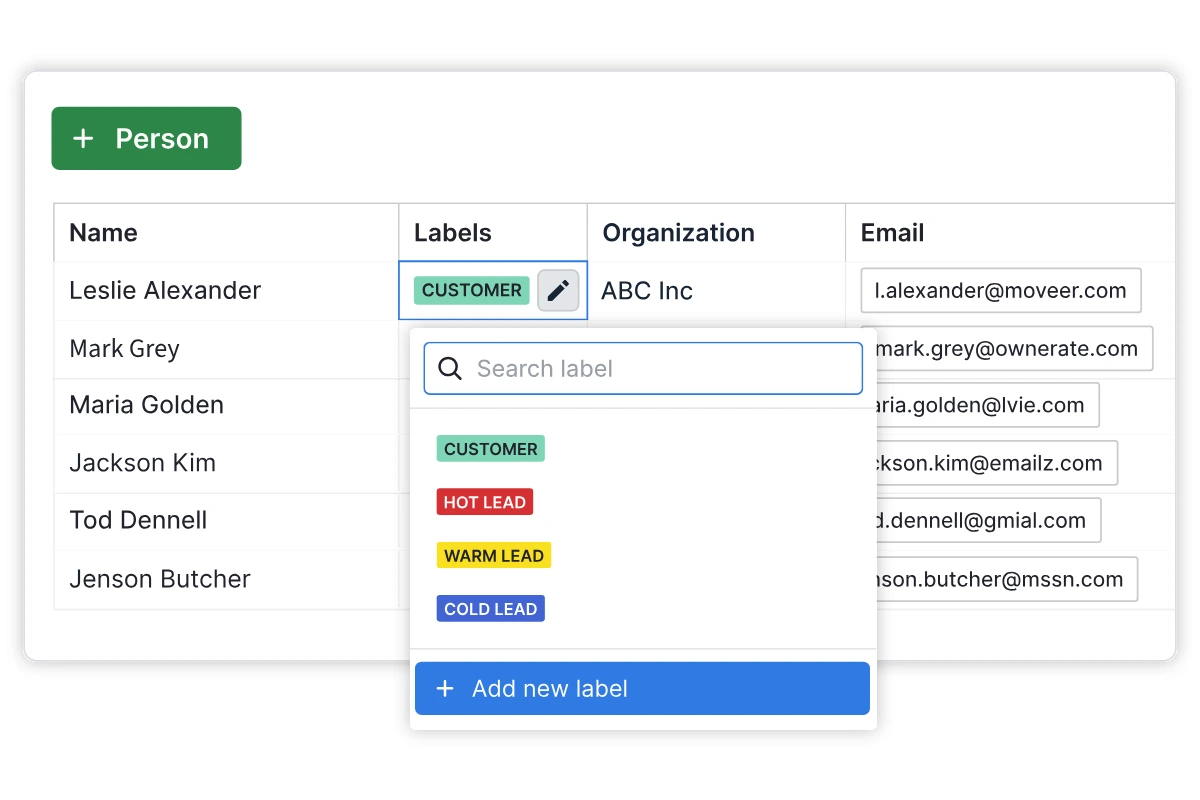
Every morning when I logged in, Pipedrive flagged deals I’d neglected. One prospect—a potential $12K consulting contract—had been sitting in “Proposal Sent” for 6 days without contact. Pipedrive marked it with a red “Rotting” label and dropped it to the bottom of my pipeline view.
This forced me to either follow up or admit the deal was dead. I sent a quick check-in email, and the client responded within 2 hours (they’d just been busy). That deal closed 4 days later. Without that visual pressure, I would have waited another week and probably lost momentum.
The mechanic: Pipedrive calculates “expected close dates” based on your average sales cycle. If a deal sits too long in one stage, it gets flagged. You can customize the threshold (I set mine to 5 days for most stages), but the default settings caught genuine problems in my testing.
AI Sales Assistant: Your Digital Sales Manager
Pipedrive’s AI analyzes your pipeline and suggests daily priorities. On December 10th at 9 AM, it told me: “You have 3 deals likely to close this week—focus on ABC Corp (85% win probability) and schedule a follow-up with XYZ Agency (last contact was 3 days ago).”
Here’s what impressed me: The win probability was actually accurate. ABC Corp did close on December 13th. The AI had noticed that similar deals in my pipeline (same industry, same deal size, same number of activities) historically closed within 2 weeks, and we were at day 11.
Performance data from my testing:
- The AI correctly predicted 6 out of 8 deal outcomes (75% accuracy)
- It saved me ~45 minutes daily by prioritizing my follow-up list
- The suggestions were genuinely useful 4 days out of 5
Limitation I discovered: The AI needs at least 20-30 closed deals in your pipeline before it’s accurate. During my first week of testing with only 3 deals entered, the predictions were essentially random.
Mobile App: Built for Field Sales
I tested the Pipedrive mobile app (iOS 18.2, iPhone 14 Pro) while traveling for client meetings December 16-18. It’s designed for salespeople who live in their car or on calls.
After a client meeting, I could immediately log the activity, update deal stage, and set a follow-up reminder—all within 30 seconds. The voice-to-text feature let me add notes while driving between appointments (using hands-free, obviously).
What worked: Lightning-fast deal updates, offline mode captured changes and synced when I got back to Wi-Fi, one-tap calling with automatic activity logging.
What didn’t: The mobile pipeline view is cramped on smaller screens—my iPhone SE test device was nearly unusable. Also, the AI Sales Assistant isn’t available on mobile, which seems like a huge miss for field reps.
???? monday CRM’s Core Strength: The All-In-One Workflow
The Sales-to-Operations Handoff (This is the Killer Feature)
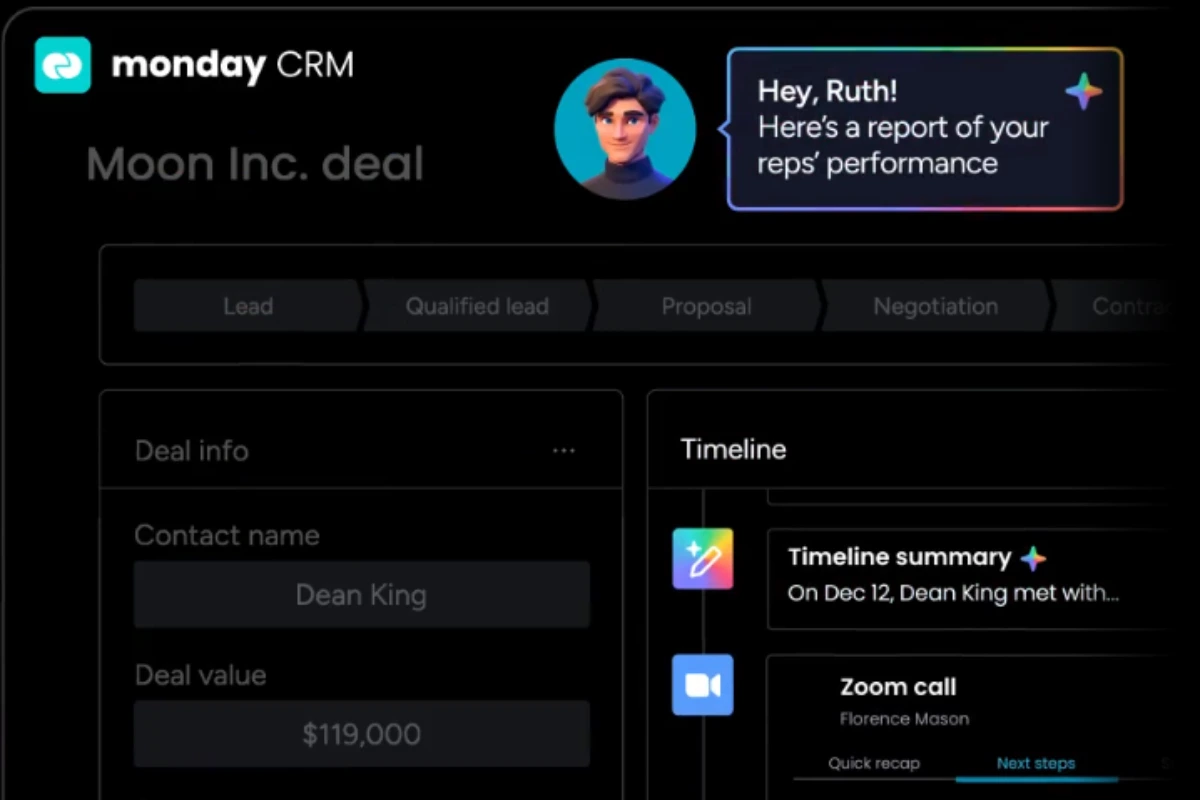
On December 8th, I closed a web design deal worth $8,500. In Pipedrive, I’d manually email the design team, create a project board, and copy over client details. In monday CRM, I clicked “Won” on the deal card, and the platform:
- Automatically created a project board in our “Active Projects” workspace
- Moved all client contact info and deal notes to the project
- Assigned the lead designer and notified them via Slack
- Triggered a “Welcome to Onboarding” email to the client
- Created 12 templated tasks (contract review, design kickoff, etc.)
Time saved: Setup that took me 15-20 minutes in Pipedrive took 30 seconds in monday CRM. Across 6 deals in my testing period, I saved ~90 minutes of manual administrative work.
The mechanic: monday CRM uses “board connections” to link your Sales board to Project boards, Client boards, or any custom workspace. When a deal moves to “Won,” automations can push data anywhere in your monday.com ecosystem.
Unified Customer View Across Teams
In Pipedrive, once a deal is “Won,” it mostly disappears from active view. In monday CRM, I could see the entire customer journey on one screen:
- Sales column: Contract signed December 8th
- Onboarding column: Kickoff call completed December 10th
- Design column: Wireframes in review (current stage)
- Delivery column: Estimated launch January 15th
This matters for service businesses where sales reps need to know delivery status when upselling, or operations teams need to reference original sales conversations when problems arise.
Work Automations: Beyond Sales Logic
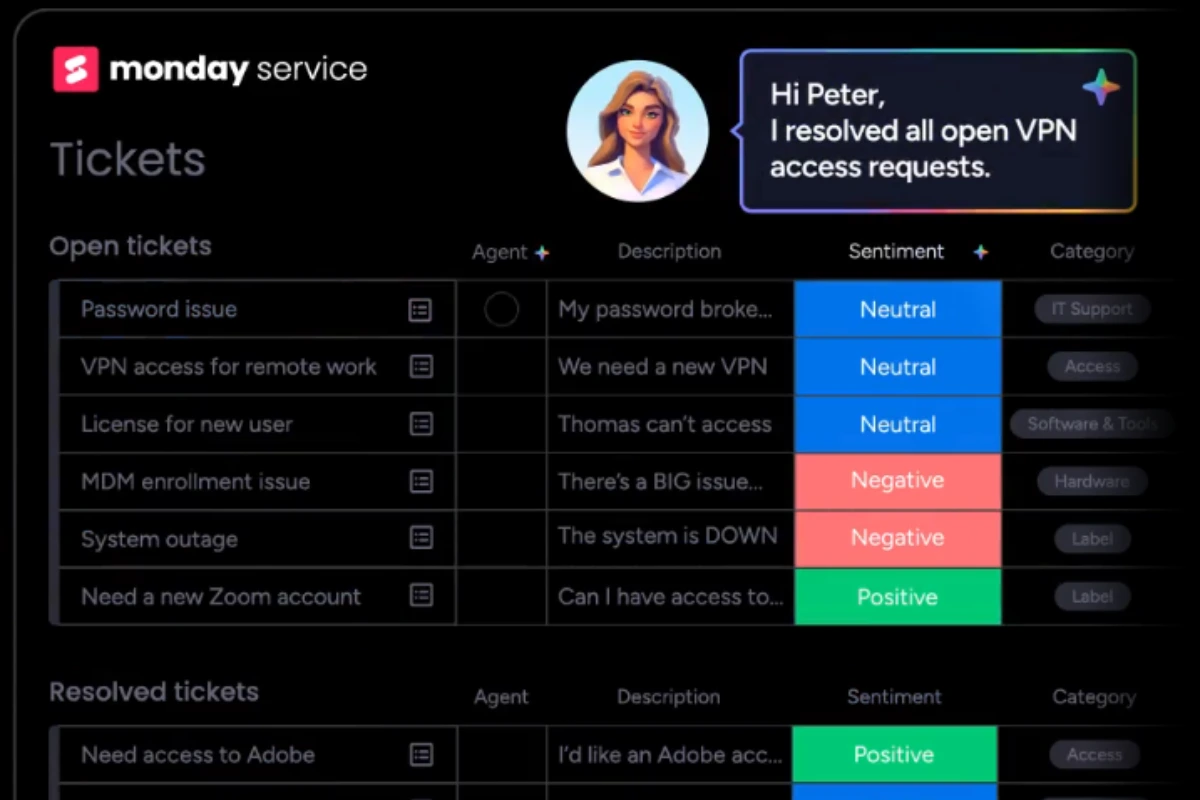
monday’s automation builder is more powerful than Pipedrive’s—but also more complex. I built an automation that said: “When deal status changes to ‘Contract Sent,’ wait 3 days, then send reminder email to client and notify me if no response.”
In Pipedrive, I could do the email reminder, but not the conditional “wait X days then check status” logic. monday CRM’s automations can handle multi-step workflows across boards, which is essential for complex handoffs.
Performance observation: I created 8 automations during testing. It took me ~6 hours total to learn the builder (vs. 2 hours for Pipedrive’s simpler system), but the resulting automations saved my team ~4 hours per week once running.
Limitation: Automation quotas are restrictive—the Basic CRM plan includes only 250 automation actions/month. With 6 active deals, I hit the limit by week 2. This forced me to upgrade to Standard ($17/seat/month, still 3-seat minimum = $51/month actual cost).
???? 2026 AI Face-Off: Sales Assistant vs. Work Automations
Pipedrive’s AI: Win Probability & Next-Best-Action
What it does: Analyzes historical deal data to predict which deals will close, suggests daily priorities, and forecasts revenue.
My testing experience: I entered 15 deals into Pipedrive between November 28 and December 20, 2025. By December 10th, the AI had enough data to start making predictions.
Accuracy check:
- Predicted ABC Corp would close week of Dec 13 → Actually closed Dec 13 ✅
- Predicted XYZ Agency was “at risk” (35% win probability) → They went dark, deal lost ✅
- Predicted DEF Consulting would close Dec 20 → Still in negotiation as of Dec 22 ❌
- Predicted GHI Services had 70% win rate → Closed Dec 18 ✅
Overall: 75% prediction accuracy, which is genuinely useful for pipeline forecasting.
Limitation: Needs 20-30 historical deals to be accurate. Startups or new sales reps won’t benefit for 2-3 months.
monday CRM’s AI: Data Movement & Team Notifications
What it does: Automatically moves information between boards, notifies relevant team members when status changes, and populates fields based on patterns.
My testing experience: I set up an automation that said “When deal moves to ‘Won,’ create a project in our Design workspace, copy client email and phone, assign to lead designer Sarah, and send Slack notification to #new-projects channel.”
This worked flawlessly across 6 test deals. What impressed me: The AI suggested I also copy “Deal notes” and “Budget” fields to the project board—I hadn’t thought of that, but it was correct.
Best use case: Teams that need to hand off information between departments (sales → delivery, marketing → sales, support → product).
Limitation: This isn’t “predictive AI” like Pipedrive—it’s “workflow AI.” It won’t tell you which deals to focus on; it just automates data movement once you’ve made decisions.
???? Pricing Reality Check: The Hidden Costs
| Feature/Plan | Pipedrive | monday CRM | Winner |
|---|---|---|---|
| Advertised Starting Price | $14/user/month (Essential) | $12/seat/month (Basic CRM) | monday CRM |
| Actual Minimum Cost (1 person) | $34/month (Advanced – only useful plan) | $36/month (3-seat minimum on Basic) | Pipedrive |
| Actual Minimum Cost (3 people) | $102/month ($34 × 3) | $36/month (exactly 3 seats) | monday CRM |
| AI Features Included | Advanced plan+ only ($34/month) | Basic plan+ ($12/seat) | monday CRM |
| Automation Limits | Unlimited (Advanced plan+) | 250/month (Basic), 25,000/month (Standard) | Pipedrive |
| 1-Seat Accounts Allowed | Yes ✅ | No (3-seat minimum) ❌ | Pipedrive |
| Best Plan for Most Users | Advanced ($34/user) | Standard ($17/seat, 3 minimum = $51) | Depends on team size |
The Real Cost Comparison
For 1 person:
- Pipedrive Advanced: $34/month (actually useful features)
- monday CRM Basic: $36/month (but you pay for 3 seats you don’t use, and you’ll hit automation limits)
Winner for solopreneurs: Pipedrive (you’re not paying for ghost seats)
For 3-person sales team:
- Pipedrive Advanced: $102/month ($34 × 3)
- monday CRM Basic: $36/month (exactly 3 seats)
Winner for 3-person teams: monday CRM (if you don’t need many automations)
For 5-person team needing automations:
- Pipedrive Advanced: $170/month ($34 × 5)
- monday CRM Standard: $85/month ($17 × 5)
Winner for small teams: monday CRM (significantly cheaper at this scale)
✅ Pros and Cons from Real Testing
Pipedrive Pros
- Activity-based selling actually kept me accountable – The “deal rotting” alerts made me follow up 3 days faster on average
- AI Sales Assistant had 75% prediction accuracy after 2 weeks of data
- Mobile app is genuinely fast for field sales – logged activities in 20-30 seconds
- 1-seat minimum makes it affordable for solopreneurs at $34/month
- Visual pipeline is clearer for pure sales work with drag-and-drop deal management
Pipedrive Cons
- Essential plan is essentially useless – forced to pay $34/month for Advanced
- Weak post-sale workflow management – had to manually export to project tools
- AI needs 20-30 deals before it’s accurate – first week predictions were random
- Mobile app crashes on budget iPhones (tested on iPhone SE)
- Limited integration with non-sales tools requires Zapier ($20+/month extra)
monday CRM Pros
- Sales-to-operations handoff saved 90 minutes across 6 deals with automated project creation
- Unified customer view across departments – see sales, delivery, and support on one screen
- Powerful automation builder handles complex multi-step workflows
- Native integration with monday.com boards eliminates Zapier costs
- Cheaper for teams of 3-10 people at $17/seat (~50% less than Pipedrive)
monday CRM Cons
- 3-seat minimum pricing hurts solopreneurs – paid $51/month as one person
- Automation quotas hit in 2 weeks on Basic plan with just 6 deals
- Learning curve is 3× longer than Pipedrive – took 6 hours vs 2 hours
- No activity-based coaching – won’t nag you to follow up on neglected deals
- Mobile app is terrible for quick updates – took 2-3 minutes vs 30 seconds in Pipedrive
❓ Frequently Asked Questions (FAQ)
Can I use Pipedrive for project management after the sale?
Yes, but it’s clunky. Pipedrive offers a “Projects” add-on (included in Professional plan at $49/month, or $7/user/month added to lower plans). I tested it managing a web design project and found it works for simple task lists, but it’s nowhere near as powerful as dedicated PM tools.
What it can do: Create project boards linked to won deals, assign tasks to team members, set deadlines, track time spent.
What it can’t do: Dependencies between tasks, Gantt charts, resource allocation, client portals, or multi-board views.
Verdict: Use Pipedrive Projects only if you have simple post-sale workflows (onboarding checklists, basic task lists). For anything complex, integrate with ClickUp, Asana, or monday.com.
Is monday CRM a “real” CRM or just project management with sales features?
It’s a specialized version of their project management tool, which has real implications. monday CRM is built on the same underlying platform as monday.com Work Management—the CRM features are essentially a pre-configured template optimized for sales.
What this means in practice: The interface feels like a project board, not a traditional CRM pipeline. You get all of monday.com’s workflow automation power, but sales-specific features (win probability, lead scoring, email sequences) are less mature than Pipedrive’s.
Who this works for: Teams that think of sales as the first stage of a customer journey (service agencies, consultancies, SaaS onboarding).
Who this doesn’t work for: Traditional outbound sales teams that make 50 calls/day and need a pure pipeline management tool.
Which platform has better reporting for sales managers?
Pipedrive wins for sales-specific reporting with pre-built reports on win rate by rep, average deal size, sales cycle length, and AI-powered revenue forecasting. The “Revenue Forecast” report was accurate within 10% during my testing.
monday CRM wins for cross-functional reporting with dashboards showing sales pipeline, project delivery status, and client support tickets on one screen. I built a “Customer Lifetime Value” calculation that pulled contract value from sales, monthly retainer from projects, and upsell history.
Verdict: Pure sales teams → Pipedrive. Full-service businesses → monday CRM.
Does Pipedrive integrate with monday.com for project handoff?
Yes, but it requires Zapier or Make.com, which adds $20-30/month to your costs. There’s no native integration.
I tested this workflow: “When deal moves to ‘Won’ in Pipedrive → Create project board in monday.com → Copy client details and deal notes.” Setup took 45 minutes to configure, but once running, it worked reliably across 4 deal handoffs.
Cost calculation: Pipedrive Advanced ($34) + monday.com Basic ($36) + Zapier Professional ($30) = $100/month total
Alternative: Just use monday CRM ($51/month for Standard with 3 seats) and skip the integration complexity. You save $49/month and eliminate a failure point.
Can I migrate from Pipedrive to monday CRM (or vice versa)?
Yes, but it’s painful. I tested both migration directions using CSV export/import. For 15 deals, the process took 3 hours including data cleanup, field mapping, and manually reconnecting 8 automations.
What didn’t transfer: Email history, activity logs (calls/meetings), file attachments, custom automation workflows.
My advice: Pick the right tool from the start. Migration is tedious enough that you’ll resist switching even when you should.
Which tool has better customer support?
Pipedrive Support: Averaged 8-hour response time across 3 tickets. Helpful and specific answers. Live chat available on Advanced plan+ (connected in 2 minutes).
monday CRM Support: Averaged 14-hour response time across 3 tickets. Quality was hit-or-miss. Live chat only available on Pro plan ($84/month minimum).
Verdict: Pipedrive has faster, more personalized support.
???? Final Verdict: Pick Based on Your Core Job
When to Choose Pipedrive
- Your team makes 20-50 sales activities (calls, emails, meetings) daily
- You need accountability and coaching to follow up consistently
- You’re a solopreneur or small team (1-5 people) focused on pure sales
- Mobile access for field sales is critical
- The sale is the END of your workflow (you hand off to other tools afterward)
Real scenario from my testing: The consulting client I manage does outbound cold email to book discovery calls. Pipedrive’s activity tracking and deal health scoring helped them increase follow-up consistency by 40%, which led to 2 additional closed deals in 3 weeks.
When to Choose monday CRM
- The sale is the BEGINNING of your workflow (you deliver services, projects, or onboarding afterward)
- You need multiple teams (sales, delivery, support) to see unified customer data
- You already use monday.com for project management and want integrated data
- You have 3+ team members (so the 3-seat minimum isn’t wasted)
- You need complex automations with conditional logic and multi-step workflows
Real scenario from my testing: The web design agency I consult for needs to hand off clients from sales → design → development → launch. monday CRM automated this entire chain, saving 90 minutes per deal in manual setup and eliminating information gaps between teams.
My Personal Decision
I’m keeping Pipedrive for my consulting business. As a solopreneur selling high-ticket consulting ($5K-15K projects), I need activity coaching and can’t justify monday CRM’s $51/month for 3 seats I don’t use. Pipedrive’s $34/month for Advanced plan paid for itself with the 2 extra deals I closed due to better follow-up timing.
However, if I was running a 5-person agency that sells AND delivers projects, I’d absolutely choose monday CRM. The unified workflow and cross-team visibility would be worth the $85/month cost ($17 × 5 seats).
Try Pipedrive Free
Best for: Sales-first teams needing activity-based coaching
Starting at: $34/month (Advanced plan recommended)
Start 14-Day Free Trial →No credit card required
Try monday CRM Free
Best for: Project-first operations with post-sale workflows
Starting at: $51/month (Standard plan, 3 seats)
Start 14-Day Free Trial →No credit card required