ClickUp vs Notion 2026: Which All-in-One Workspace Wins?

Table of Contents
- → Quick Comparison Overview
- → ClickUp Overview: Project Management Powerhouse
- → Notion Overview: Documentation Champion
- → Head-to-Head: Project Management
- → Head-to-Head: Documentation
- → Database Capabilities Compared
- → Automation & Workflows
- → Pricing Comparison
- → Ease of Use & Learning Curve
- → Mobile Experience
- → Integrations & Ecosystem
- → When to Choose Each Platform
- → Migration Between Platforms
- → Frequently Asked Questions
???? Quick Verdict
Choose ClickUp if project management is your primary need—its Gantt charts, task dependencies, and automation dominate complex workflows.
Choose Notion if documentation and knowledge management matter most—its elegant wikis and relational databases excel at organizing information.
Both require similar learning curves (2-3 weeks) and cost nearly the same. The right choice depends on whether your team lives in tasks or docs.
Choosing between ClickUp and Notion feels impossible—both promise to replace your entire tech stack with one elegant workspace. But after testing both platforms extensively with real projects, the truth is clear: they excel at fundamentally different things.
ClickUp dominates project management with powerful task tracking, Gantt charts, and automation. Notion shines at documentation and knowledge management with beautiful wikis and flexible databases. The “best” choice depends entirely on whether tasks or docs are your primary need.
For context on what ClickUp offers, see our ClickUp complete guide. This comparison will help you decide which all-in-one workspace actually delivers for your team in 2026.
Quick Comparison: ClickUp vs Notion
| Feature | ClickUp | Notion |
|---|---|---|
| Best For | Task-heavy project management | Documentation + lightweight PM |
| Starting Price | $7/user/month | $8/user/month |
| Free Plan | Unlimited users, 100MB storage | Unlimited pages for individuals |
| Learning Curve | Moderate (2-3 weeks) | Moderate (2-3 weeks) |
| Project Management | ???? 5/5 Excellent | 3/5 Good (basic) |
| Documentation | 3.5/5 Good | ???? 5/5 Excellent |
| Automation | ???? 5/5 (100+ free) | 1.5/5 Limited (buttons only) |
| Views | ???? 15+ views | 6 views |
| Mobile App | 3.5/5 Good | ???? 4.5/5 Very good |
| Time Tracking | ✅ Built-in (free) | ❌ None (requires integration) |
| Overall Rating | 4.5/5 | 4.4/5 |
ClickUp Overview: The Project Management Powerhouse
ClickUp positions itself as “the one app to replace them all,” focusing heavily on task management, workflow automation, and project planning.
Core Strengths
Task Management Excellence: ClickUp’s hierarchical structure (Spaces > Folders > Lists > Tasks > Subtasks) handles complex projects with hundreds of interdependent tasks. You can create task dependencies, set recurring tasks, use custom statuses, and visualize work across 15+ different views.
Multiple View Options: This is ClickUp’s killer feature—see the same data as List, Board (Kanban), Calendar, Gantt, Timeline, Table, Map, Workload, Mind Map, and more. Your content writer sees tasks as a list while your project manager views them as a Gantt chart—same data, different perspectives.
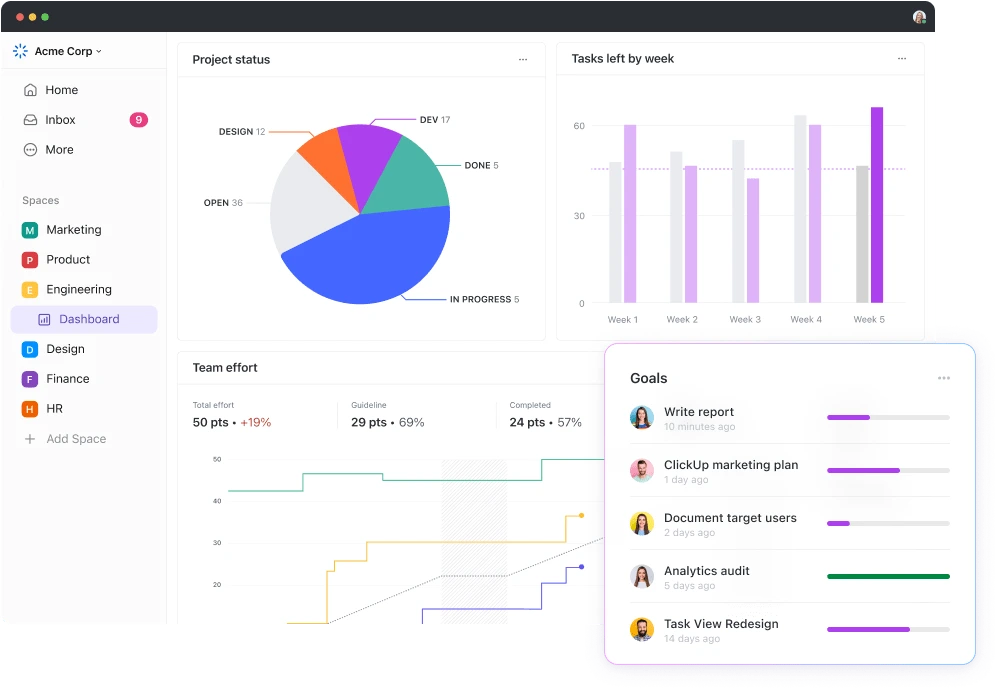
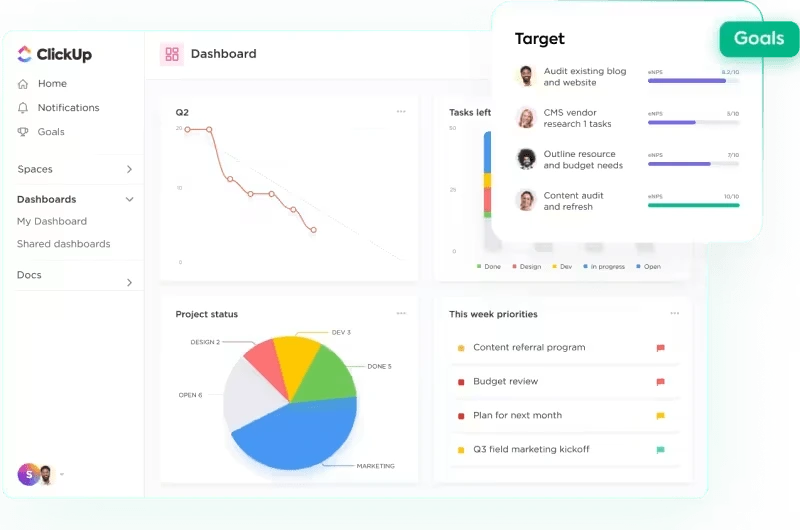
Automation Power: ClickUp includes 100+ free automations on every plan. Create rules like “When status changes to Review, assign to Marketing Director and send Slack notification.” Marketing teams save 5-10 hours weekly on repetitive task routing.
Time Tracking Built-In: Unlike Notion, ClickUp includes native time tracking. Track time spent on tasks, generate timesheets, and analyze team productivity without third-party integrations.
Custom Fields: Add unlimited custom fields (dropdowns, numbers, formulas, dates) to track anything: campaign budgets, ROI calculations, client names, priority scores. This makes ClickUp a lightweight database on top of task management.
ClickUp Strengths
- Unmatched project management features
- Powerful automation (100+ free rules)
- 15+ view options for team flexibility
- Built-in time tracking
- Excellent value at $7/user
ClickUp Weaknesses
- Documentation features are secondary
- Overwhelming learning curve (2-3 weeks)
- Docs aren’t as beautiful as Notion’s
- Can feel cluttered with too many options
ClickUp Rating: 4.5/5 — ClickUp dominates project management and automation, making it ideal for task-heavy teams managing complex workflows. However, its documentation features lag behind Notion’s elegance.
Notion Overview: The Documentation Champion
Notion takes the opposite approach—it’s a knowledge base first, with project management features added on top.
Core Strengths
Beautiful Documentation: Notion’s block-based editor creates stunning wikis, internal documentation, and knowledge bases. Every page can contain text, images, embedded content, databases, and nested sub-pages. The design feels clean and focused, unlike ClickUp’s busy interface.
Flexible Databases: Notion’s databases are more elegant than ClickUp’s task lists. Create relational databases where items link to each other (e.g., “Projects” database linked to “Clients” database). View the same database as table, board, calendar, gallery, or timeline.
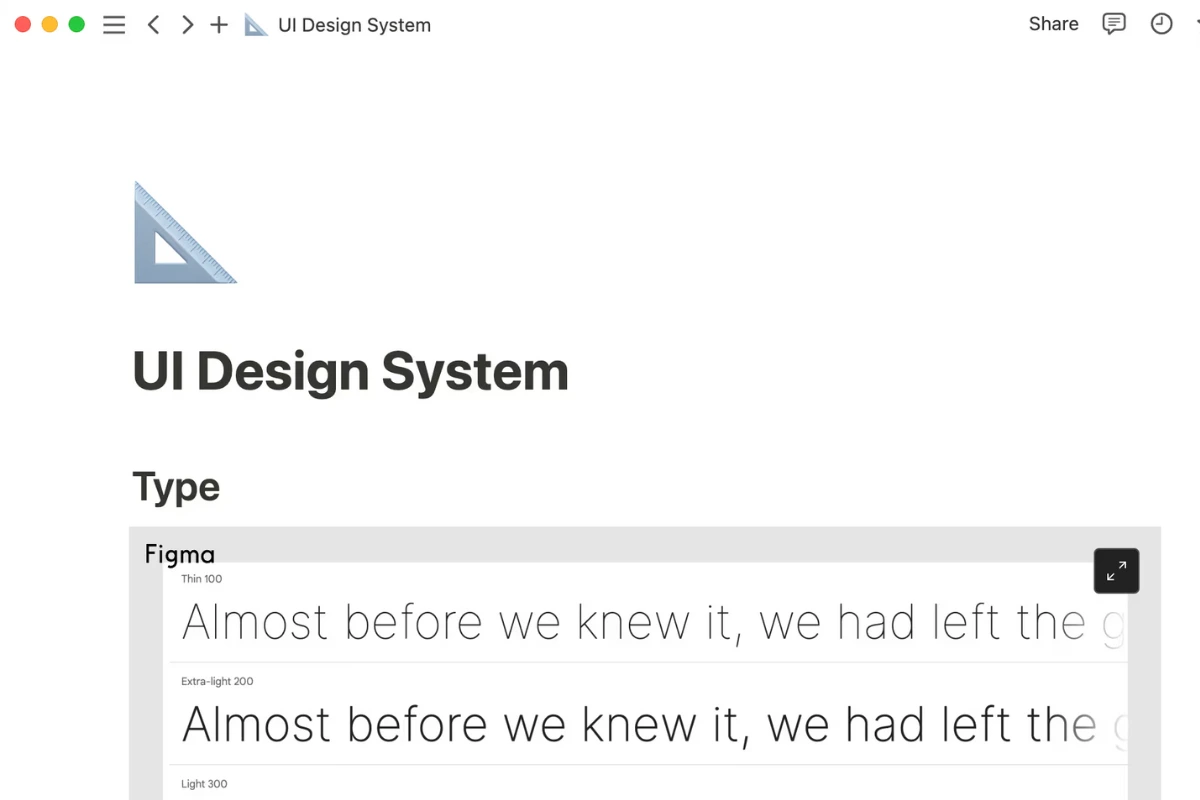
Collaborative Workspace: Real-time collaboration feels smoother in Notion. Multiple team members can edit the same page simultaneously without lag. Comments appear inline, and the @mention system feels native to documentation.
Template Marketplace: Notion’s community has created 10,000+ templates (vs ClickUp’s 100+). Find pre-built systems for almost any use case: CRM, habit trackers, product roadmaps, company wikis, content calendars.
Minimal Learning Curve for Docs: While databases take time to master, creating basic pages and wikis is intuitive. Most users can create their first team wiki within an hour.
Notion AI: Notion AI ($8/user/month add-on) is more sophisticated than ClickUp’s AI. It writes naturally, summarizes documents better, and translates seamlessly.
Notion Strengths
- Best-in-class documentation and wikis
- Beautiful, minimalist design
- Excellent database relationships
- Smoother collaboration for docs
- Massive template community (10,000+)
Notion Weaknesses
- Weak project management (no Gantt, no dependencies)
- No built-in time tracking
- Limited automation (only buttons)
- Slower with large databases (500+ entries)
- More expensive for teams ($8 vs ClickUp’s $7)
Notion Rating: 4.4/5 — Notion excels at documentation and knowledge management with unmatched elegance, but its project management capabilities are basic compared to dedicated PM tools like ClickUp.
Head-to-Head: Project Management
ClickUp Advantages
- ✅ Gantt charts & Timeline views — Visual project planning with drag-drop scheduling
- ✅ Task dependencies — Link tasks so deadline changes cascade automatically
- ✅ Workload management — See team capacity and prevent burnout
- ✅ Time tracking — Built-in without integrations
- ✅ Advanced automation — 100+ automations vs Notion’s manual buttons
- ✅ Multiple status workflows — Customize task states per project type
Notion Limitations
- ❌ No Gantt charts or visual timelines (only basic timeline view)
- ❌ No task dependencies
- ❌ No built-in time tracking (requires Toggl/Clockify integration)
- ❌ Basic automation only (button-triggered actions)
- ❌ Limited views compared to ClickUp (6 vs 15+)
If your team manages complex projects with phases, dependencies, and resource planning, ClickUp is significantly more powerful. Notion works for simple task lists but can’t handle enterprise project management.
Project Management Winner: ClickUp (5/5 vs Notion’s 3/5) — ClickUp’s dedicated PM features make it the clear choice for teams managing complex, multi-phase projects with resource constraints.
Head-to-Head: Documentation & Knowledge Management
Notion Advantages
- ✅ Beautiful page design — Aesthetically pleasing docs that teams enjoy reading
- ✅ Better writing experience — Block-based editor feels native and smooth
- ✅ Nested page hierarchy — Unlimited sub-pages create comprehensive wikis
- ✅ Inline databases — Embed databases within docs seamlessly
- ✅ Sync blocks — Update one block, see changes across multiple pages
- ✅ Faster search — Better full-text search across all content
ClickUp Limitations
- ⚠️ Docs feel like an afterthought (added later, not core feature)
- ⚠️ Less elegant design for long-form content
- ⚠️ Docs don’t integrate as naturally with task management
- ⚠️ Fewer formatting options for rich content
- ⚠️ No sync blocks or advanced doc features
For company wikis, SOPs, internal documentation, or knowledge bases, Notion provides a superior experience. ClickUp Docs work fine but lack Notion’s polish and depth.
Documentation Winner: Notion (5/5 vs ClickUp’s 3.5/5) — Notion’s documentation capabilities are unmatched, making it the obvious choice for knowledge-heavy teams and content creators.
Database Capabilities Compared
ClickUp’s Approach: Task-Centric Databases
- Custom fields turn task lists into lightweight databases
- Table view shows tasks as spreadsheet rows
- Good for: Campaign tracking, client management, inventory lists
- Limitation: Not truly relational (can’t link databases together)
Notion’s Approach: True Relational Databases
- Create separate databases that link to each other
- Example: “Projects” database → linked to “Clients” database → linked to “Tasks” database
- Filter and reference data across multiple databases
- Good for: CRM systems, product catalogs, content management systems
For simple database needs (tracking campaign budgets, task metadata), ClickUp suffices. For complex relational data (CRM, product management, multi-table systems), Notion is far more capable.
Database Winner: Notion (4.5/5 vs ClickUp’s 3.5/5) — Notion’s relational database architecture is significantly more sophisticated, ideal for teams building custom CRMs or complex data systems.
Automation & Workflows: ClickUp Destroys Notion
ClickUp Automation Capabilities
- 100+ pre-built automation templates (free on all plans)
- IF-THEN logic: “When status = Complete, assign to reviewer”
- Multi-step automations: “When due date arrives, send email AND create subtask AND notify Slack”
- 1,000 automation actions/month on Unlimited plan ($7/user)
- Integration automation with Zapier
Notion Automation Capabilities
- Button-triggered actions only (manually click button to trigger)
- Very basic: “Click button to change status” or “Click to create template page”
- No scheduled automations (can’t auto-trigger on date/time)
- Requires Zapier for real automation (extra cost)
Real-world impact: A marketing team using ClickUp saves 5-10 hours weekly automating task assignments, status changes, and notifications. The same team on Notion does everything manually or pays for Zapier ($20-50/month).
Automation Winner: ClickUp (5/5 vs Notion’s 1.5/5) — ClickUp’s automation capabilities are in a different league, essential for teams wanting to eliminate repetitive manual work.
Pricing: Nearly Equal
ClickUp Pricing
- Free: Unlimited users, 100MB storage, basic features
- Unlimited ($7/user/month): Unlimited storage, integrations, Gantt charts
- Business ($12/user/month): Advanced automation, workload management
- Enterprise (Custom): White-labeling, advanced security
Notion Pricing
- Free: Unlimited pages for individuals (limited collaboration)
- Plus ($8/user/month): Unlimited file uploads, version history
- Business ($15/user/month): Advanced permissions, SAML SSO
- Enterprise (Custom): Advanced security, audit logs
10-person team cost comparison:
- ClickUp Unlimited: $70/month ($840/year)
- Notion Plus: $80/month ($960/year)
- Savings with ClickUp: $120/year (12.5% cheaper)
However, both are affordable compared to competitors like Asana ($109/month for 10 users) or Monday ($120/month). See our complete ClickUp pricing breakdown for hidden costs.
Pricing Winner: ClickUp by slight margin (5/5 vs Notion’s 4.5/5) — ClickUp offers marginally better value, especially for teams prioritizing automation and unlimited storage at the base tier.
Ease of Use: Both Have Learning Curves
ClickUp Learning Curve
- Week 1: Overwhelming (too many features visible)
- Week 2-3: Starting to make sense (configure basics)
- Week 4+: Proficient and productive
- Total time: 15-20 hours over 3 weeks
See our complete ClickUp learning curve guide for fast-track strategies.
Notion Learning Curve
- Week 1: Basic pages are easy; databases confuse
- Week 2-3: Understanding relations and filters takes time
- Week 4+: Comfortable building complex systems
- Total time: 12-18 hours over 3 weeks
Both require similar time investment. ClickUp’s complexity comes from feature density; Notion’s comes from understanding blocks, databases, and relations.
Ease of Use: Tie (Both 3.5/5 difficulty) — Neither platform is beginner-friendly, but both become powerful once mastered. Budget 2-3 weeks for team onboarding.
Mobile Experience: Notion Slightly Better
ClickUp Mobile
- Most features available on iOS/Android
- Some limitations: Advanced dashboards, bulk editing
- Occasional performance lag with large task lists
- Rating: 3.5/5
Notion Mobile
- Smooth, fast interface
- Full editing capabilities (same as desktop)
- Excellent for quick note-taking and doc editing
- Better offline mode than ClickUp
- Rating: 4.5/5
Mobile Winner: Notion (4.5/5 vs ClickUp’s 3.5/5) — Notion’s mobile experience is noticeably superior, important for teams that frequently work from phones or tablets.
Integrations: ClickUp Has More
ClickUp Integrations
- 1,000+ native integrations (Slack, Google Drive, Salesforce, HubSpot, GitHub, etc.)
- Zapier support for custom workflows
- API access on Business+ plans
- Email integration (send/receive emails in tasks)
Notion Integrations
- 50+ native integrations (Slack, Google Drive, Figma, GitHub)
- Strong Zapier support
- API access on all paid plans
- Embed capabilities for 100+ services
ClickUp offers 20x more native integrations, critical for teams with complex tech stacks.
Integrations Winner: ClickUp (5/5 vs Notion’s 3.5/5) — ClickUp’s extensive integration library makes it better suited for teams needing deep connections with multiple business tools.
When to Choose ClickUp vs Notion
Choose ClickUp If:
- Project management is your primary need
- Managing campaigns with multiple phases
- Need Gantt charts and timeline planning
- Require task dependencies and critical path tracking
- Resource/workload management is essential
- Automation saves your team time
- Repetitive task routing (content approval workflows)
- Status-triggered notifications
- Integration automation with other tools
- Time tracking matters
- Billing clients based on hours worked
- Analyzing team productivity
- Tracking time against estimates
- You need multiple view options
- Different team members prefer different visualizations
- Switching between Kanban, Gantt, Calendar, Table views
- Budget is tight
- Slightly cheaper than Notion ($7 vs $8/user)
- Better free plan for teams (unlimited users)
Best for: Marketing agencies, development teams, operations teams, project-heavy businesses
Choose Notion If:
- Documentation is your core need
- Building company wikis and knowledge bases
- Creating internal SOPs and processes
- Maintaining product documentation
- Managing content libraries
- You need elegant, relational databases
- CRM systems with linked clients, projects, tasks
- Product catalogs with relationships
- Content management systems
- Writing and collaboration matter most
- Teams that live in documents more than tasks
- Content creators, writers, researchers
- Startups building internal knowledge early
- Simplicity over power
- You want fewer features done beautifully
- Team prefers clean, minimalist design
- Basic project management (Kanban boards) suffices
- Mobile-first workflow
- Team works primarily from phones/tablets
- Need excellent offline mobile experience
Best for: Content teams, startups, knowledge workers, consultants, writers, researchers
Can You Use Both Together?
Yes, many teams do: Use Notion for documentation/wikis and ClickUp for project management.
Integration options:
- Embed ClickUp tasks in Notion pages
- Link Notion docs in ClickUp tasks
- Use Zapier to sync data between both
Downside: Paying for two tools ($7 + $8 = $15/user/month) and managing two systems increases complexity.
Alternative approach:
- If tasks dominate (60%+ of work): Choose ClickUp, use its Docs feature for basic documentation
- If docs dominate (60%+ of work): Choose Notion, use basic task databases for lightweight PM
For most teams, committing to one platform reduces tool sprawl and confusion. See our ClickUp alternatives guide for other single-platform options.
Migration: Switching Between ClickUp and Notion
From Notion to ClickUp
What transfers easily:
- Tasks/database entries → Import as ClickUp tasks (CSV export/import)
- Basic pages → Copy/paste into ClickUp Docs
What’s difficult:
- Relational databases → Must rebuild manually
- Nested page structures → Recreate hierarchy
- Embedded content → Re-embed in ClickUp
Time estimate: 2-4 weeks for complete migration (depending on data volume)
From ClickUp to Notion
What transfers easily:
- Tasks → Export CSV, import into Notion database
- Simple docs → Copy/paste into Notion pages
What’s difficult:
- Custom automations → Lost (must rebuild as Notion buttons or Zapier)
- Custom fields → Map to Notion database properties manually
- Multiple views → Notion has fewer view types
Time estimate: 3-5 weeks (ClickUp’s complexity makes export harder)
Real User Experiences
ClickUp advocates say:
“We switched from Notion because we needed real project management. Notion’s task databases couldn’t handle dependencies or Gantt charts. ClickUp is more complex but actually manages projects properly.” — Marketing Agency Owner
Notion advocates say:
“We tried ClickUp but it was overkill. We needed a beautiful wiki and lightweight task tracking. Notion does both elegantly without overwhelming our non-technical team with 100 features we’ll never use.” — Startup Founder
Common themes:
- ClickUp users praise power, criticize complexity
- Notion users praise beauty, criticize limited PM features
- Both have similar learning curves (2-3 weeks)
- Both have passionate, loyal user bases
Final Verdict: Which Should You Choose?
For most teams: ClickUp wins if project management is the primary need. Its superior task features, automation, and time tracking justify the slightly busier interface.
For documentation-heavy teams: Notion wins if knowledge management dominates your workflow. Writers, researchers, and content teams will appreciate Notion’s elegant documentation experience.
Overall Ratings:
- ClickUp: 4.5/5 ⭐⭐⭐⭐½ (Best all-in-one for task-heavy teams)
- Notion: 4.4/5 ⭐⭐⭐⭐ (Best all-in-one for doc-heavy teams)
My Honest Recommendation
- 60%+ of work is tasks/projects → Choose ClickUp
- 60%+ of work is documentation/wikis → Choose Notion
- 50/50 split → Choose ClickUp (easier to improve docs than add missing PM features)
Budget-conscious? ClickUp’s free plan supports unlimited users vs Notion’s individual-only free tier. For small teams testing tools, ClickUp offers more value.
Still unsure? Try both free plans simultaneously for 2 weeks with a real project. The right choice becomes obvious quickly.
ClickUp
Best for task-heavy project management with automation
Try ClickUp Free →Unlimited users on free plan
Notion
Best for documentation and knowledge management
Try Notion Free →Unlimited pages for individuals
Learn More
- Complete ClickUp feature guide
- All ClickUp alternatives compared
- ClickUp vs Monday comparison
- ClickUp pricing breakdown
Frequently Asked Questions
Is ClickUp better than Notion for project management?
Yes, significantly. ClickUp offers Gantt charts, task dependencies, workload management, and time tracking—all missing or limited in Notion. For teams managing complex projects with multiple phases, ClickUp is the clear winner.
Is Notion better than ClickUp for documentation?
Yes. Notion’s block-based editor, nested pages, and sync blocks create superior wikis and knowledge bases. ClickUp Docs work fine but lack Notion’s elegance and depth for long-form content.
Can Notion replace ClickUp?
Only if your project management needs are basic (simple Kanban boards, no dependencies, no Gantt charts). For marketing agencies, dev teams, or operations teams managing complex workflows, Notion’s PM features are insufficient.
Can ClickUp replace Notion?
Mostly yes, but with compromises. ClickUp Docs provide 70% of Notion’s documentation capabilities. If your team lives in wikis and internal documentation, you’ll miss Notion’s polish. If docs are secondary to tasks, ClickUp covers both adequately.
Which has better automation?
ClickUp dominates with 100+ free automations and advanced IF-THEN logic. Notion only offers manual button-triggered actions. For teams automating repetitive workflows, ClickUp saves hours weekly.
Which is easier to learn?
Both have similar learning curves (2-3 weeks). ClickUp overwhelms with feature density; Notion confuses with database relations. See our ClickUp learning guide for fast-track strategies.
Is ClickUp cheaper than Notion?
Slightly. ClickUp Unlimited ($7/user) vs Notion Plus ($8/user) = 12.5% savings. Both are affordable compared to Asana or Monday. See our ClickUp pricing analysis for detailed comparison.
Which has better templates?
Notion wins with 10,000+ community templates vs ClickUp’s 100+ official templates. However, ClickUp templates are more action-oriented (project workflows) while Notion templates lean toward documentation systems.